

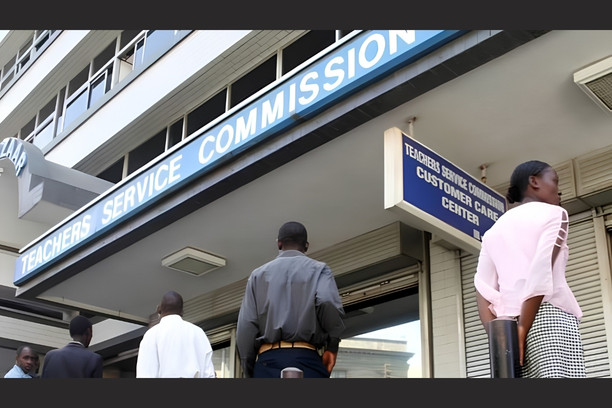
How to Apply for TSC Sick Leave: HRMIS Process, Entitlements and Required Documents.
A teacher who falls ill and cannot report to duty must formally apply for sick leave with the Teachers Service Commission (TSC). Skipping this step, or applying late, can see the absence treated as unauthorised — with disciplinary consequences. Here is exactly how the process works, what you’re entitled to, and what documents you need.
Quick answer: how to apply
Sick leave for TSC teachers is applied for online through the HRMIS Leave Module at hrmis.tsc.go.ke/tm-app/apply_leave.
You log in with your TSC number, national ID number and registered mobile number, verify with an SMS one-time password, select “Sick Leave,” enter your leave dates, attach a certified medical document, and submit. Your Head of Institution reviews it first, then it moves to the Sub-County or County Director for approval.
You must start this process within 48 hours if you were treated as an outpatient, or within 7 days if you were hospitalised.
How much sick leave are you entitled to?
Your entitlement depends on your terms of service. This comes from the Code of Regulations for Teachers, Part IX (Medical Benefits), which sets out sick leave within any continuous 12-month period.
| Terms of service | Full pay | Half pay | Unpaid |
|---|---|---|---|
| Permanent and pensionable | First 3 months | Next 3 months | Beyond 6 months, until you resume duty |
| Contract (not exceeding 1 year) | First 1 month | Next 1 month | Beyond 2 months, until you resume duty |
Two things matter here that are easy to miss:
- The clock runs on continuous illness within a rolling 12-month window, not a fixed calendar year. If you fall sick again within that window, earlier sick days already used can count against the same entitlement.
- Going past six months without pay doesn’t mean an open-ended arrangement. If sickness continues beyond a year, the Commission can refer you to the Director of Medical Services, who convenes a Medical Board to determine whether you’re fit to continue teaching. This can affect your posting or, in serious cases, your continued employment.
Step-by-step: applying through HRMIS
- Go to the portal. Visit hrmis.tsc.go.ke/tm-app/apply_leave, or reach it via TSC Online Services > HRMIS > Leave.
- Log in without a password. Enter your TSC number, national ID number and the mobile number registered with TSC. There’s no separate password — the system sends a six-digit OTP by SMS instead.
- Enter the OTP and proceed to your dashboard, which auto-fills your name, school and TSC number.
- Start a new application. Click “Apply Leave” (or the “+” / “Submit” button, depending on the portal version) and select Sick Leave as the leave type.
- Enter your leave dates — the period your medical practitioner has recommended you be off duty.
- Attach your medical document. Upload a clear scan of your medical certificate or sick sheet, signed and stamped by a registered medical practitioner.
- Submit. The application routes automatically to your Head of Institution for recommendation, then to the Sub-County or County Director for approval. You can track the status — pending, acknowledged, or approved — from your dashboard.
If a Head of Institution is the one who is sick, the same process applies, except their application routes through the Sub-County Director instead of a head of institution.
What documents do you need?
| Requirement | Details |
|---|---|
| Medical certificate / sick sheet | Signed and stamped by a registered medical practitioner. Should state the illness dates, whether you were an outpatient or inpatient, and the recommended leave period. The formal document referenced in the Code of Regulations is Form P (the sick leave form) under the sick leave schedule; in practice, hospitals and clinics also issue a standard “sick sheet.” |
| TSC number and National ID | Needed to log in and to identify you on any manual form. |
| Registered mobile number | Used to receive the OTP for portal login and for the Head of Institution’s follow-up communication. |
| Head of Institution’s recommendation | Added automatically in the workflow once you submit; you don’t upload this yourself. |
If you’re unable to apply in person because of the severity of your condition, the head of institution is required to notify the Sub-County Director in writing, so the illness is on record even before a full application is filed.
Read Also: TSC Profile Update Online: Requirements and Steps
Does the paper TSC sick leave form still exist?
Yes. The Code of Regulations still references the manual sick leave form (Form P), and TSC’s own downloads page continues to make it available as a PDF. In practice, though, HRMIS is now the default channel, and most sub-county and TSC offices expect digital submission.
The paper form remains useful mainly where a teacher or head of institution genuinely cannot access the portal — for example, in an area with no internet access, or where a school has been directed to use manual submission during a specific circular period.
If you do use the paper form, it still needs to be signed and stamped with medical evidence and forwarded through the normal chain: head of institution to Sub-County Director to County Director.
What happens if you apply late or not at all?
If you miss the 48-hour (outpatient) or 7-day (inpatient) window without a valid reason communicated to your head of institution, TSC can treat the absence as being without permission rather than as sick leave.
That opens the door to disciplinary handling under the Commission’s regulations, which can include salary deductions for the unauthorised days, and in repeated cases, more serious action.
If your condition genuinely prevented you from notifying anyone within the window, get that explanation, along with medical evidence, to your head of institution as soon as you’re able — TSC’s own guidance recognises that severe illness can make immediate notification impossible.
Returning to work after extended sick leave
Before resuming duty after a lengthy sick leave, you need a certificate of medical fitness from a registered medical practitioner confirming you’re fit to return. This is different from the GP69 form some readers confuse it with:
- GP69 is used earlier, during initial TSC registration or employment, to confirm a candidate is medically fit to be hired. A referring officer completes Part I, and a government medical officer completes Part II after examining the candidate.
- Certificate of medical fitness is what you need after sick leave, to confirm you can safely resume your teaching duties.
Where sick leave has run long, the Commission may also review your posting based on the medical recommendations it receives.
Read Also: TSC Payslip Registration: How to Activate and Use T-Pay in 2026
Related: maternity leave through the same portal
Maternity leave uses the same HRMIS Leave Management module. A female teacher is currently entitled to 120 calendar days of maternity leave with full pay, running from the date of delivery — this replaced the earlier 90-day entitlement under a Collective Bargaining Agreement change. Taking maternity leave doesn’t cost you your annual leave days for the year.
Male teachers are entitled to 21 working days of paternity leave with full pay, taken within the period of their spouse’s maternity leave. Both are applied for and tracked through the same portal login process described above, with supporting medical documentation (such as confirmation of the pregnancy or birth) uploaded at the application stage.
Frequently asked questions
How long does TSC take to approve a sick leave application? There’s no fixed statutory turnaround time published by TSC. Once submitted, the application moves through the Head of Institution and then the Sub-County or County Director; you can track its stage (pending, acknowledged, approved) on your HRMIS dashboard.
Can I apply for sick leave without a password? Yes — the HRMIS leave portal doesn’t use a password. You log in with your TSC number, national ID and registered mobile number, then confirm with an SMS OTP.
What if my registered mobile number has changed? You’ll need to update your details with TSC before you can log in and receive the OTP, since the system verifies you against the mobile number it already has on file.
Read Also; Careers Related to Social Studies in Kenya: A Practical Guide
Is sick leave the same as compassionate leave or leave without pay? No. Sick leave is specifically for your own illness and is time-bound under Part IX of the Code of Regulations. Compassionate leave and leave of absence without pay are separate categories, granted at the Commission’s discretion for other kinds of hardship.
Sources: Teachers Service Commission Code of Regulations for Teachers (Part IX – Medical Benefits, Part X – Leave), via Kenya Law; TSC HRMIS Leave Application Portal guidance and TSC circulars.
This article is for general informational purposes and reflects publicly available TSC regulations and portal guidance current as of September 2026. For a decision affecting your own employment status, confirm details directly with your Sub-County TSC office or your union.
How to Apply for TSC Sick Leave: HRMIS Process, Entitlements and Required Documents.
Follow Teachers Updates on Facebook, LinkedIn, X (Twitter), WhatsApp, Telegram, and Instagram. Get in touch with our editors at hello@teachersupdates.news.
